Back to blog
Content Refresh: How to Update Old SaaS Blog Posts for SEO and AI Search
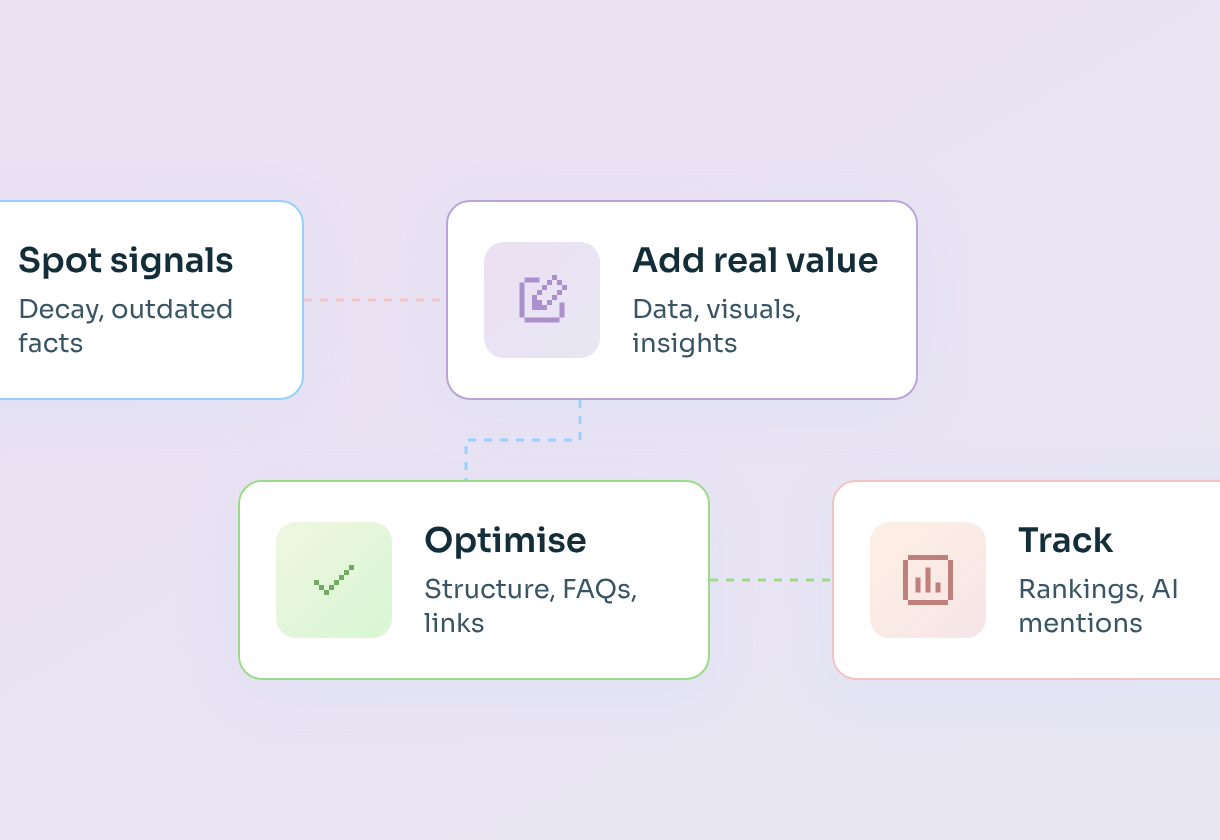

- A content refresh means updating an existing page with new data, new insights, new visuals and a better structure, so it keeps ranking in Google and keeps getting cited by AI assistants.
- Search is changing fast, so even evergreen topics now need a refresh every three to six months. Changing "2026" to "2027" in the H1 doesn't count as a refresh anymore.
- A real refresh adds something new: fresh data, original insights, quotable elements, updated screenshots and graphs, interactive elements, FAQs and a clearer answer at the top.
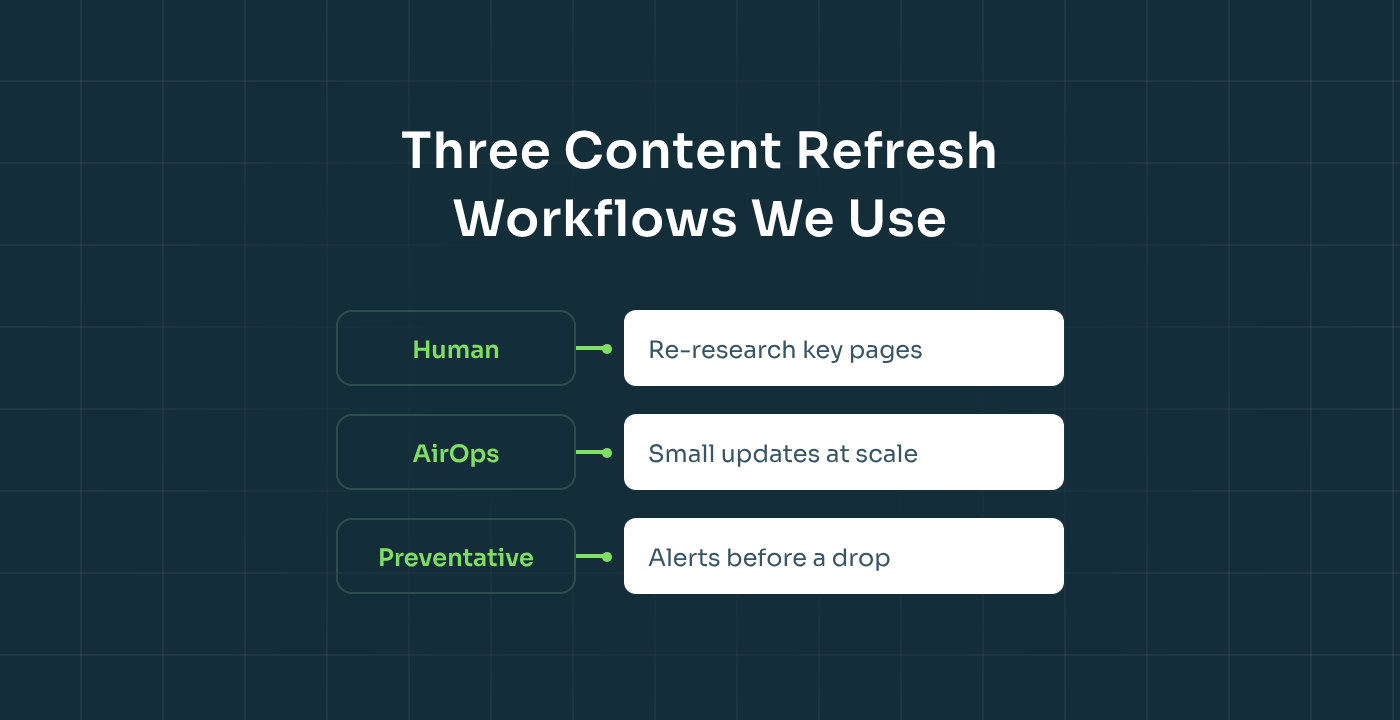
- At SaaStorm, we use three workflows: human optimisation for high-value pages, AirOps-assisted refreshes for small changes at scale, and preventative refreshes that flag unusual Search Console data before a page drops.
- Start with the pages closest to revenue and the ones already sitting just outside the top positions. That's where a refresh pays back fastest.
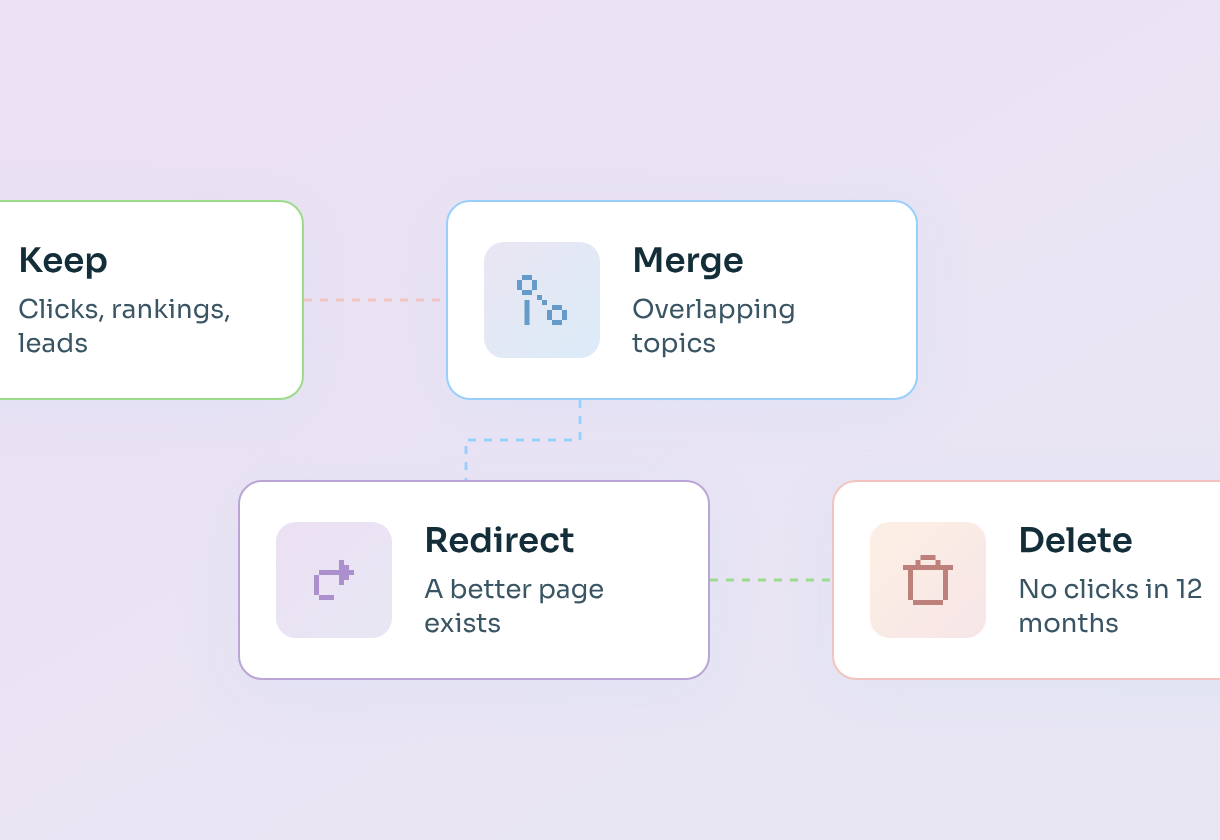
In our guide to content pruning, I explained how we decide which pages to keep, merge, redirect or delete. This article is about what happens next: the pages you keep, and how to make sure they keep working.
Every SaaStorm engagement starts with a discovery phase, and part of it is an audit of all your existing content. That audit tells us which pages are worth keeping, and most of those go straight into a refresh plan. But the way we refresh content has changed a lot in the last year, because search itself has changed.
A few years ago, you could update a listicle's title, add a paragraph and change the date, and Google would reward you for it. Today, that barely moves anything. Google has more AI-generated content to choose from than ever, AI assistants like ChatGPT and Perplexity pick their sources differently, and buyers expect pages that are genuinely current. A refresh has to earn its "updated" date.
"Search is changing, so even evergreen topics need to be updated every three to six months. Just changing the H1 from 'best tools for 2026' to 'best tools for 2027' will not work anymore. You need to give more insights, more quotable elements, interactive elements. It all needs to be done." – Romana Kuts, Founder at SaaStorm
In this guide, I'll walk you through how often to refresh, how we decide what to refresh first, what a good refresh actually includes, the three workflows we use at SaaStorm and the mistakes that make a refresh fall flat. It's written for Heads of Marketing and content leads at B2B SaaS companies with a blog that's a few years old and a library that needs to keep earning its place.
What a content refresh is (and why swapping the year no longer works)
Before getting into the how, it's worth being clear on what counts as a refresh, because the definition has quietly shifted.
A content refresh is a meaningful update to an existing page: new information, new insights, new visuals, a better structure or a sharper answer to the search intent. It's sometimes called historical optimisation, and for many teams it's more effective than creating new content, because the page already has authority. It sits between leaving a page alone and rewriting it from scratch, and it keeps the URL, the backlinks and the rankings you've already earned.
What doesn't count is a cosmetic change. Google's John Mueller put it simply when asked about updating dates: "Is there significantly new content? Then update the dates." If there isn't, the date should stay as it is. Swapping the year in the title and republishing gives Google nothing new to reward, and readers notice too. Google does favour fresh content for some searches – the idea is often called "query deserves freshness" – but only when there's genuinely something new.
The bar is also higher because of AI search. An Ahrefs study of around 17 million citations found that AI assistants cite content that is, on average, about 25.7% fresher than the pages ranking in Google's organic results, with ChatGPT showing the strongest preference for newer content. Freshness isn't the only thing that matters, but if your page is the outdated one, it's easier for an AI assistant to pick someone else's. That's why it pays to show a visible "last updated" date next to the original publication date – and why that date has to be honest.
So if a refresh needs to be real, how often do you actually need to do one?
How often should you refresh content? Building a content refresh strategy
The short answer is: more often than most SaaS teams do. In our experience, evergreen topics now need a meaningful update every three to six months, and some content types need it even faster.
The right cadence depends on how quickly the information on the page goes out of date. A page about the basics of SEO changes slowly; a list of AI visibility tools can be outdated within weeks, because tools launch, merge, get acquired and change their pricing all the time. Here's a good starting point:
Put these cadences into your editorial calendar, so refreshing existing content becomes routine rather than a once-a-year panic. Cadence is a guide, not a rule. Some pages need attention sooner, because the data tells you they're slipping. That's where prioritisation comes in.
How we decide what to refresh first
You'll rarely have the time or budget to refresh content across your whole library at once, so the order matters. It starts with a content inventory from your content audit: every page you've decided to keep, with its data next to it. In discovery, we rank those pages by how much a refresh is likely to move pipeline, and we use a handful of signals to do it.
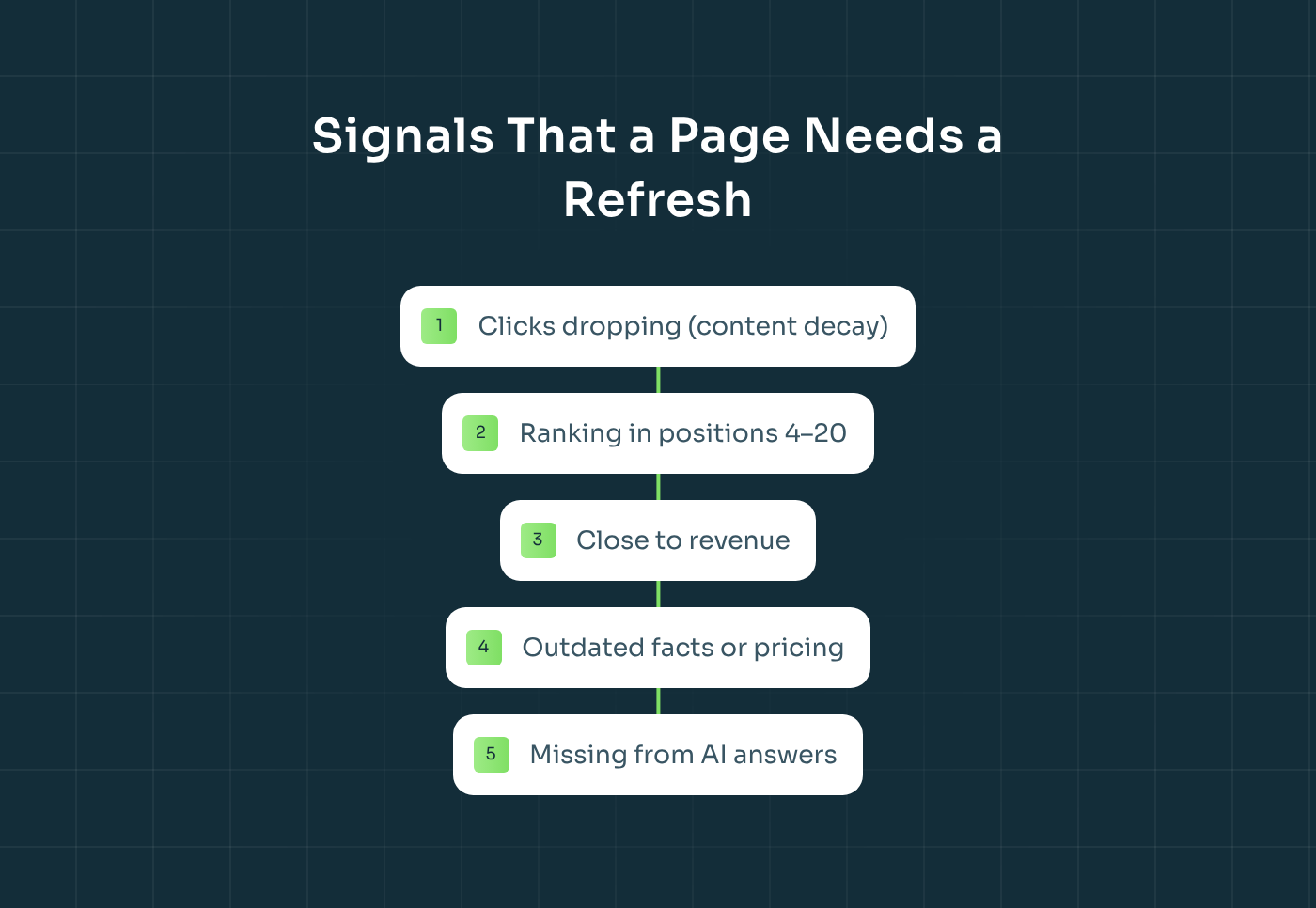
Content decay
The clearest signal is content decay: a page that used to get steady clicks and is now losing them. In Google Search Console, compare the last three months with the same period before. If clicks, impressions or click-through rates are falling while the keyword's demand hasn't, a competitor or an AI answer is probably winning the query instead of you. As a rule of thumb, a page that has lost more than 20% of its clicks over a quarter deserves a closer look.
Pages close to the top
Pages sitting in positions 4 to 20 for a keyword with real buying intent are often the fastest wins. They already have Google's trust; they just need a better answer, fresher data or a stronger structure to move up. Our guide to how long SEO takes explains why refreshing these near-top pages is usually quicker than ranking something new.
Closeness to revenue
We always prioritise by how close a page is to revenue. A bottom-of-funnel comparison page that's slipping matters more than a top-of-funnel definition that's slipping, even if the definition gets more traffic.
Outdated information
Some refreshes are triggered by facts rather than rankings: your pricing changed, you launched a new feature, a product got renamed, a competitor was acquired or a statistic is now three years old. As one of our writers put it, sometimes it's simply "updating facts and making sure the latest study is being cited, or the person giving a quote is still in their job".
Missing from AI answers
Finally, we check AI visibility. If a page ranks well in Google but never shows up when buyers ask ChatGPT, Claude, Perplexity or Gemini the same question, it usually needs clearer answers, quotable facts and better structure – the things AI assistants find easy to cite. We explain the overlap in our guide to GEO vs SEO.
Before starting any refresh, we ask one more question: why are we updating this page? Is it because the market changed, because the client repositioned, because pricing changed or because rankings dropped? The answer decides how big the job is.
What a good content refresh includes
Once you know which pages to refresh and why, the next question is what to actually change. This is where most refreshes fall short. They update a few sentences and stop. A refresh that moves rankings and earns AI citations adds real value, and in practice that means a combination of the elements below.
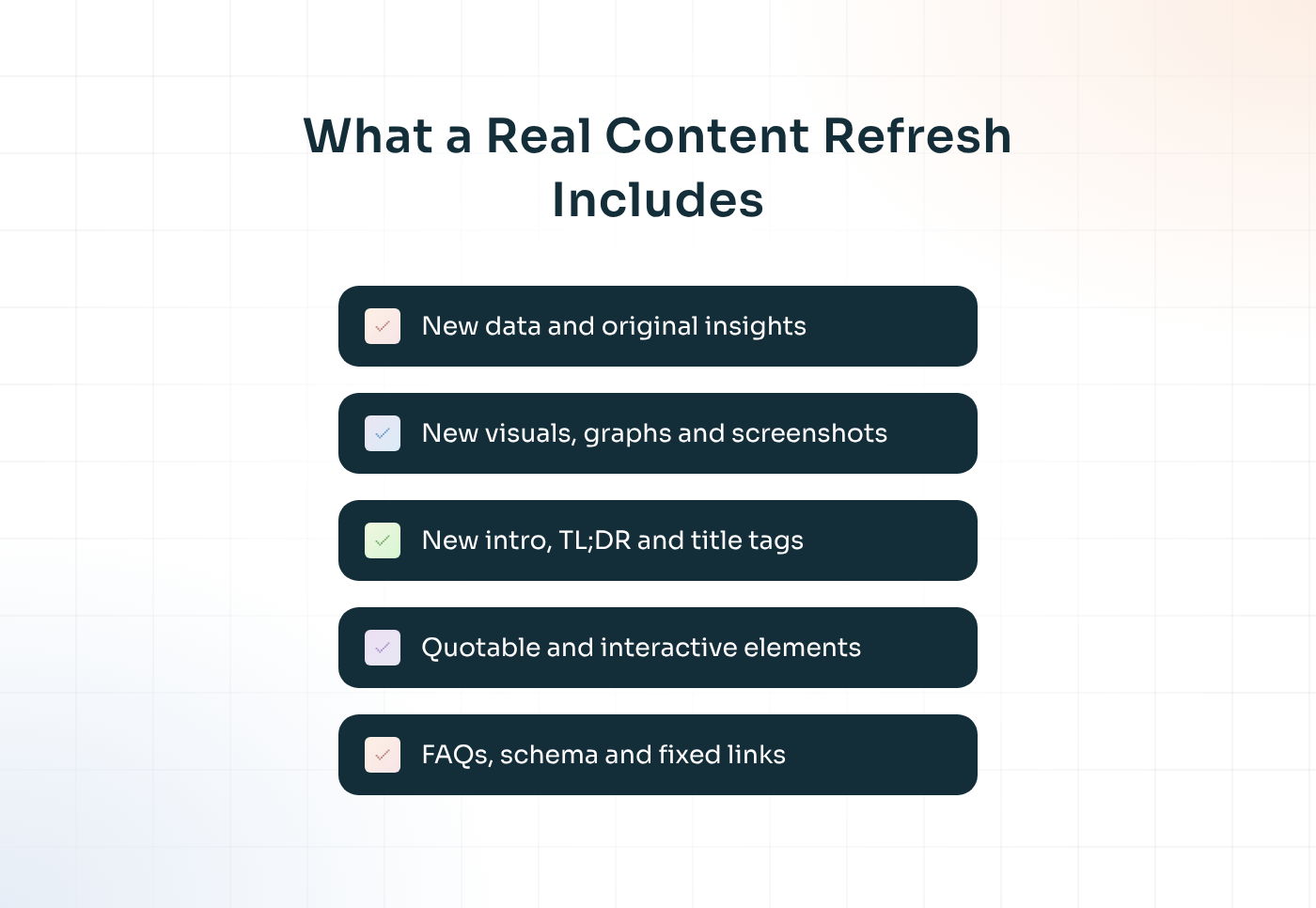
New data and original insights
Start with what's new. Replace outdated statistics with current ones, add results from your own work and share what you've learned since the page was published. Original insights are the hardest thing for competitors – and AI-generated content – to copy, so they're the best reason for Google and AI assistants to prefer your page.
New visuals, graphs and screenshots
Old screenshots are one of the fastest ways to make a page look abandoned. Update product screenshots, add graphs for your key data points and replace generic images with visuals that explain something. A good diagram often does more for a reader than three extra paragraphs.
A new intro, new title tags and a clear answer at the top
Search intent shifts over time, and your intro should shift with it. Rewrite the opening so it answers the main question straight away, and add a short TL;DR. Update the title tags and meta descriptions too, so they match the current search intent and earn a better click-through rate in the search results. That helps readers who skim, and it gives AI assistants a clean, self-contained answer to cite.
Quotable elements
AI assistants love content they can lift and attribute: a clear definition, a specific number, a strong expert quote, a simple framework. Add a few of these to every refreshed page, written so they still make sense out of context.
Interactive elements
Where it makes sense, add something people can use: a calculator, a template, a comparison table, a checklist. Interactive elements give readers a reason to stay, return and share, and they're far harder to replicate than another paragraph of text.
FAQs, structure and schema
Add or update an FAQ section based on the questions buyers are asking now – in Search Console, in sales calls and in AI prompts. Keep headings clear and logical, and make sure FAQ and article schema (structured data) are in place, so both search engines and AI assistants can understand the page.
Internal and external links, and an honest update date
Finally, fix broken links and check that every external link still points somewhere useful. Then link the refreshed page to your newer content, and link to it from relevant newer posts. Then update the "last updated" date – only because something significant has changed.
One word of caution: protect what's already working. If a page ranks well, don't rewrite the sections that got it there just because you'd phrase them differently today. A good refresh adds and sharpens; it doesn't throw away what Google already likes.
Three content refresh workflows we use at SaaStorm
Not every refresh needs the same level of effort, and treating them all the same is how teams either overspend or under-deliver. At SaaStorm, we use three different workflows, depending on what the page needs and how many pages need it.
1. Human optimisation
For high-value pages – bottom-of-funnel guides, comparison pages, thought leadership – a human writer does the refresh. They re-research the topic, check every fact, add new examples and insights, update the visuals and restructure where needed.
We start by importing the live page into Surfer with the keyword we want it to rank for. That shows us how the existing version scores against today's competitors, and it's not unusual to see a page that once ranked well scoring around 30. The goal is to bring it back to 80 or above, without losing the voice and expertise that made it work in the first place.
2. AirOps-assisted refreshes at scale
Some updates are small but need to happen across dozens of pages at once: a new feature to mention, a product renamed, a pricing change, a new positioning line. Doing that by hand is slow and expensive, so we use AirOps workflows to make those changes at scale, with a human reviewing the output.
This is part of our AI content engineering service. It's how a lean team keeps a large library accurate without rewriting every article from scratch – and why it costs far less than a full human refresh, as we explain in our guide to SEO agency pricing.
3. Preventative refreshes
The third workflow is the one most teams don't have: refreshing before something goes wrong. In AirOps, we run content refresh workflows that monitor Search Console data and flag unusual patterns, such as a page losing impressions or a keyword slipping a few positions.
That gives us a signal before the drop shows up in traffic and pipeline. Instead of reacting to a page that has already fallen to page two, we update it while it's still ranking. For clients with large content libraries, this is often where the biggest gains come from, because it protects traffic you'd otherwise lose quietly.
How to refresh a blog post, step by step
Whichever workflow you use, the steps are broadly the same. Here's the process we follow for a single page.
1. Check how the page is performing
Pull the page's clicks, impressions, average position and top queries from Google Search Console, plus conversions and engagement metrics from Google Analytics. Note which queries it ranks for, which it's losing and which it should rank for but doesn't.
2. Look at what's ranking now – in Google and in AI
Search the main keyword and read the top results. What do they cover that you don't? Then ask the same question in ChatGPT, Perplexity and Gemini, and look at which sources they cite. This shows you what "good" looks like today.
3. Decide how big the refresh needs to be
Based on the gap, decide the scope. Sometimes it's a light refresh: a new intro, updated facts, a new FAQ and new internal links. Sometimes it's a deeper one, with new sections, new data and new visuals. If the page needs almost everything changed, it might be better to rewrite it – or, if it overlaps with a stronger page, to merge it, as we cover in our content pruning guide.
4. Update the content
Add the new data, insights, visuals, quotable elements and FAQs. Rewrite the intro and the TL;DR. Keep the URL the same, and keep the sections that are already performing.
5. Optimise and check
Run the updated draft through Surfer, check the headings and schema, update internal links in both directions and make sure every external link still works.
6. Republish and request indexing
Update the "last updated" date, publish and request indexing in Search Console, so Google picks up the change quickly.
7. Track the results
Watch the page's search rankings, organic traffic, user engagement and AI visibility over the next four to eight weeks. If it moves, note what worked so you can repeat it on similar pages. If it doesn't, the page probably needs a bigger change than you gave it.
Common content refresh mistakes
Most refreshes that don't work fail for the same handful of reasons. The good news is that they're easy to avoid once you know them.
The most common is the year swap: changing "2026" to "2027" in the title and calling it a refresh. Close behind is updating the date without changing anything meaningful. Both give Google and AI assistants no reason to treat the page differently, and readers can tell.
The next is rewriting what already works. Writers naturally want to improve everything, but a page that ranks well has sections Google already trusts. Change too much and you can lose what helped it perform.
Then there are the technical slips: changing the URL during a refresh, forgetting internal links, leaving broken external links in place or skipping the indexing request.
And finally, refreshing pages that should have been pruned. If a page has no clicks, no relevance and overlaps with a stronger article, a refresh won't save it. Merge it or redirect it instead.
The bottom line
A content refresh is no longer a quick date change. It's a real update: new data, new insights, new visuals, a clearer answer at the top, quotable and interactive elements, and a structure that works for both Google and AI assistants.
Refresh your evergreen and bottom-of-funnel pages every three to six months, and your listicles and tool pages even more often. Prioritise by decay, near-top rankings and closeness to revenue. And match the workflow to the job – human optimisation for your most important pages, AI-assisted updates for changes at scale and preventative refreshes that catch drops before they happen. Done consistently, refreshing protects the traffic and pipeline you've already built, which is often cheaper than winning it from scratch.
00:00
/
00:00
Want to know which of your pages need a refresh first? Book a call with us and we'll show you how our discovery phase audits your content and builds a refresh plan around revenue.
FAQs
What is a content refresh?

A content refresh is a meaningful update to an existing page, with new data, insights, visuals or structure, so it keeps ranking in search and stays relevant for AI assistants. It keeps the same URL and the authority the page has already earned.
How often should you refresh blog content?
For most B2B SaaS blogs, evergreen and bottom-of-funnel content needs a meaningful update every three to six months. Listicles, tool roundups and comparison pages often need it every one to three months.
Does updating old blog posts help SEO?
Yes, when the update adds something significant, such as new data, insights or a better answer to the search intent. Changing only the date or the year in the title rarely helps.
What is content decay?
Content decay is when a page gradually loses clicks, impressions or rankings over time, usually because competitors published something better or the information went out of date. It's one of the clearest signals that a page needs a refresh.
Should I change the date when I update a post?
Only if you've made significant changes. Google has said to update dates when there's significantly new content, and showing an honest "last updated" date helps readers and AI assistants see that the page is current.
What's the difference between a content refresh and a rewrite?
A refresh keeps the structure and the sections that work, and adds or updates what's missing. A rewrite replaces most of the page. If almost everything needs to change, a rewrite – or a merge with a stronger page – is usually the better choice.
Can AI help with content refreshes?
Yes. AI workflows work well for small, repeatable updates across many pages, like adding a new feature or updating pricing, and for monitoring Search Console data to flag drops early. High-value pages still benefit most from a human writer.



“SaaStorm became a key part of our inbound motion. Their SEO and content support helped us scale a consistent flow of high-intent traffic and build a content engine that supported £250K+ in inbound revenue. They plugged into our system and delivered every step of the way.”
Jonny Butler, Head of Marketing at OneUp
Related posts